TL;DR: Claude is not a chat window. The web app holds a working computer in the cloud: it writes and runs code, builds real tools you can publish on a link, loads your own standing instructions by itself, reads your actual apps through connectors, and runs jobs on a schedule while you sleep. I built a 32 minute course on the whole machine because most people use a fraction of it. The single most valuable thing in it is the scheduled monitor: a job that watches for something and reacts on its own. Everything I build on camera is free in my community.
Table of Contents
- What Claude Actually Is: Chat vs Cowork
- The Five Surfaces
- The One Dial That Changes Every Answer
- Artifacts: A Working App Next to the Chat
- Projects and the Instructions Contract
- Skills: Instructions Claude Loads by Itself
- Connectors, and Your Own Tools Over MCP
- Scheduled Tasks: The Monitor
- The Capability Layer Nobody Opens
- Five Rules So It Never Burns You
- Pricing This for Clients
- Frequently Asked Questions (FAQ)
- Conclusion and Next Steps
🎁 Grab every skill, instruction template, and monitor build from the course free → https://www.skool.com/ai-academy-with-robby-6849/about
What Claude Actually Is: Chat vs Cowork
Open Claude.ai and the main screen splits into two words that are the entire personality of the product. On the left is Chat: you ask, it answers, you stay in the driver's seat. On the right is Cowork: in Anthropic's own words, it works across your folders and browser tabs, it reads, writes, and creates files while you stay in the loop. Same box, one click apart.
That split is the course in miniature. Chat is the part everyone knows. Everything else in this post is the part that turns Claude from an answer machine into a worker.
I did not write a single line of code in the entire course, and you will not need to either. Claude writes the code and runs it on its own computer. That sentence sounds like marketing until you see the settings page that admits it, which we get to below.
The Five Surfaces
The whole app is five rooms, and once you can name them, nothing in the product is confusing again:
- New is the work. Every chat and every task starts here.
- Projects is the workspace. A container with its own files, its own rules, and its own memory.
- Artifacts is the shelf. Every tool Claude has built for you, kept and editable.
- Scheduled is the alarm clock. Jobs that run on repeat without you.
- Customize is the rules. Your standing instructions, your connectors, and the switches that decide what Claude is allowed to do.
New is the work, Projects is the workspace, Artifacts is the shelf, Scheduled is the alarm clock, and Customize is the rules. That one sentence is the map for the entire product.
The One Dial That Changes Every Answer
Next to the model picker sits an effort dial, and it is the single biggest lever you have over both quality and cost. Turning effort up gets you better answers on hard problems and burns your usage significantly faster. Turning it down keeps quick questions cheap.
The honest version of the model story: pick the light model for volume work, pick the heavy model for correctness critical work, and treat the effort dial as the real control. Cost comes back two chapters later in the course, because your usage is measured in sessions and weekly limits, and everything you automate spends the same budget.
Artifacts: A Working App Next to the Chat
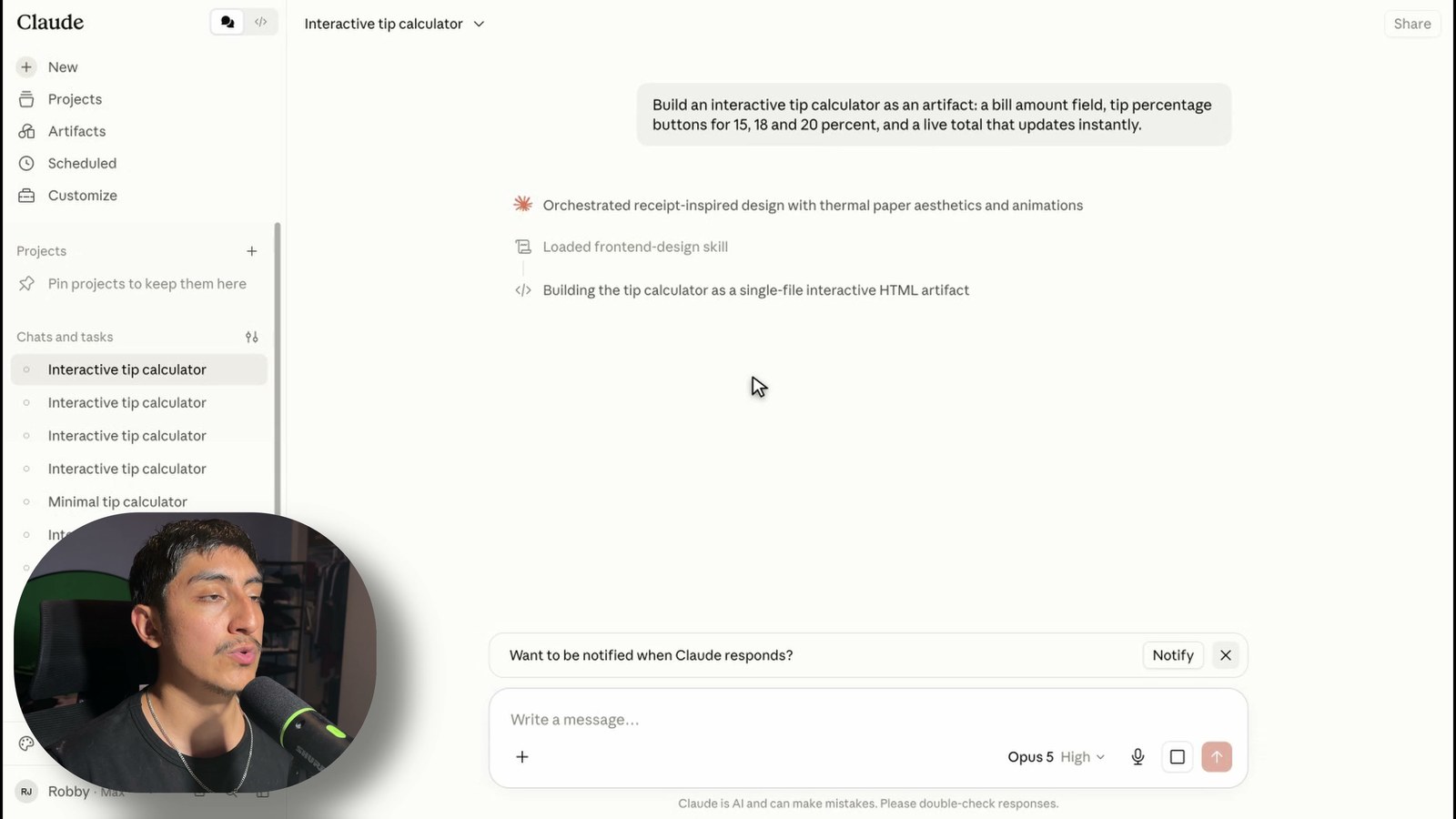
Early in the course I type one short prompt asking for a working tip calculator, and two things happen before the tool even appears. Claude loads a design skill I never mentioned, and it starts writing actual code, saving it as a file, and reading that file back on a computer in the cloud.
What comes out is not a code snippet. It is a running app in a window next to the conversation. I can type a number and it works, live. I did not write it, I did not host it, and I can put it on a link and share it in one click.
The Artifacts space is where those builds live afterward, and the part most people miss is that artifacts can call Claude inside themselves. You can build an app powered by Claude, share it, and other people use it on their own Claude account with their own limits, not yours. Whether it helps 10 people or 10,000, it costs you nothing.
Anthropic's own caveat, which I read on camera: these are for prototyping and demos, not production infrastructure. It is the perfect way to prove a workflow to a client. It is not the place to run their business.
Projects and the Instructions Contract
Artifacts are one-off building. A Project is a permanent workspace, so Claude stops starting from zero every time. It has its own chat history, its own knowledge base of uploaded files, and its own instructions.
The instructions are the part worth doing carefully. A good project instruction is not a personality, it is a contract about the output: cap the length, name the exact sections, say what to write when a section is empty, and ban invention outright. A line like "never make up a fact" survives into every chat inside the project.
Skills: Instructions Claude Loads by Itself
A skill is a set of reusable instructions that Claude loads on its own when the job matches. You never have to ask. In the tip calculator demo, the design skill fired by itself because the request matched its description.
You can also call any skill directly with a single slash in the message box. Write the instructions once, and they follow you into every chat where they matter. If you have used Claude Code skills, it is the same idea living inside the consumer app.
Connectors, and Your Own Tools Over MCP
Connectors hand Claude your actual apps: Gmail, Drive, Slack, and the rest of the directory. This is where answers stop being generic, because Claude is reading your real data instead of describing what an inbox usually looks like.
Custom connectors are the bigger story. There is a dialog where you paste the URL of your own tool over MCP, complete with OAuth client ID and secret fields. It is a real authentication handshake, the same standard developer tools use, not a webhook. Anthropic's warning sits right on the screen and I read it out: only use connectors from developers you trust.
This is the feature that turns Claude from a consumer app into something you can charge money for. Wrap a client's CRM or booking system in an MCP server, connect it here, and they get a natural language front door to a system they used to click through. Honest disclosure from the course: I show the full configuration screen but did not complete a live handshake against a production server on camera. Everything past the dialog is homework you can do yourself.
Scheduled Tasks: The Monitor
This is where Claude stops being something you open and becomes something that runs. The Scheduled tasks page ships with a template gallery: a daily briefing, a weekly review, and the one to notice, Monitor a topic.
Even the monitor runs on a clock, but what it does when it fires is different. It watches for something and reacts, instead of just summarizing. A job that watches for a kind of inbound and drafts the response in your voice, every day, without you, is the single most valuable thing you can build in the whole product.
The builder form has three settings that matter: Permissions, Model, and Frequency. Permissions set to Manually approve is your safety belt. The job stops and waits for you before it acts. If you are pointing an agent at your real accounts, that is the setting you check first. And you can attach the task to a project, so the job inherits the project's files, rules, and memory. A monitor plus a project is a real system you can sell.
The Capability Layer Nobody Opens
Three clicks from the chat box is a settings page almost nobody reads, and it is the app telling you what it really is. Two lines on it matter most, and I read both off the screen in the course:
- Cloud code execution and file creation. Claude can execute code on a server and create and edit docs, spreadsheets, presentations, PDFs, and data reports. Required for skills.
- Allow network egress. Claude gets network access to install packages and libraries, with Anthropic's own warning attached: monitor chats closely as this comes with security risks.
Stop and let that land. This is the app admitting in its own settings that it has a computer. A server that runs code and makes files, and a switch that lets that computer reach the internet to install software. That is not a chatbot. That is a sandboxed machine you are renting a slice of every time it builds an artifact or runs a skill.
The same area of settings covers Memory: two separate switches, one that lets Claude search your past chats and one that lets it build a standing memory of you over time. You can run neither, one, or both, and there is an incognito chat (the ghost icon) for conversations that touch none of it. Your standing instructions live one page over, and they apply across the whole app the way a project instruction applies inside one project.
Five Rules So It Never Burns You
You just learned how to give an AI your inbox, your files, your own tools, and a job that runs while you sleep. Five rules, in order:
- Use Manually approve on anything that acts. It is a setting right in the schedule builder. If you never check the queue, you have a supervisor who never shows up.
- Write the negative constraint into your instructions. Say what it must never do, not only what it should. "Never send email on my behalf. Never invent a fact."
- Watch the capability layer. Code execution and especially network egress are power. Keep the domain allowlist tight, and turn egress off when a job does not need it.
- Know your privacy switches. Settings then Privacy is where you control whether your chats help improve Claude, and where you export your data and manage shared chats and artifacts. Decide it deliberately, do not leave it on a default you never read.
- Know where the meter is. If you hit your limit, automations do not fail loudly. They just stop. Do not put anything genuinely critical behind a consumer plan and then stop checking your usage page.
None of this is a reason not to use it. It is the reason to use it on purpose. Every switch is you deciding what this thing is allowed to do, and that is exactly the control you want.
Pricing This for Clients
Everything above I checked on screen or against Anthropic's own documentation. This section is opinion, and I flag it the same way in the video.
Take the scheduled monitor plus a project. A small services business misses inbound because it lands on a weekend or under a newsletter. Say two a month. If their average job is 2,000 dollars, that is 4,000 dollars a month walking out the door, or 48,000 dollars a year.
That math assumes they would have closed both, and plenty of the time they would not have. Sometimes the number is real and sometimes it is a fantasy, so price against what the client tells you about their own pipeline, not against a whiteboard.
The constraints are real: this runs on a consumer plan with consumer limits, several of the best surfaces (Cowork, live artifacts, parts of the automation) are new and move fast, and there is no SLA behind a Pro or Max subscription. Sell the outcome, build the prototype, and do not promise an enterprise guarantee on top of a consumer product.
Frequently Asked Questions (FAQ)
Do I need to know how to code? No. Not one line is written by hand in the entire course. Claude writes the code and runs it on its own cloud computer.
What is the difference between Chat and Cowork? Chat answers questions while you drive. Cowork works across your folders and browser tabs, reading, writing, and creating files while you stay in the loop.
Can other people use the apps I build? Yes. Publish an artifact on a link and anyone can use it. If the artifact calls Claude inside itself, visitors use their own account limits, not yours.
What should I build first? The monitor. Everything else in Claude is a nicer, faster version of something you could already do. A job that watches for something and reacts on its own against your real accounts is the thing a chat window genuinely cannot do.
Is it safe to connect my real accounts? It is a decision, not a default. Use Manually approve on anything that acts, write negative constraints, keep network egress off when unneeded, and read the privacy page once, deliberately.
What happens when I hit my usage limit? Scheduled jobs stop silently. There is no loud failure, so check Settings then Usage regularly if something important depends on a job.
Conclusion and Next Steps
Claude is five surfaces and one big idea. The surfaces take an afternoon to learn. The idea is that the product hides a real computer behind a chat box, and every serious feature (artifacts, skills, connectors, monitors) is a different door into it.
Write the trigger first, in plain English. The rest is typing.
🎁 Every skill, template, and the monitor build from the course, free → https://www.skool.com/ai-academy-with-robby-6849/about