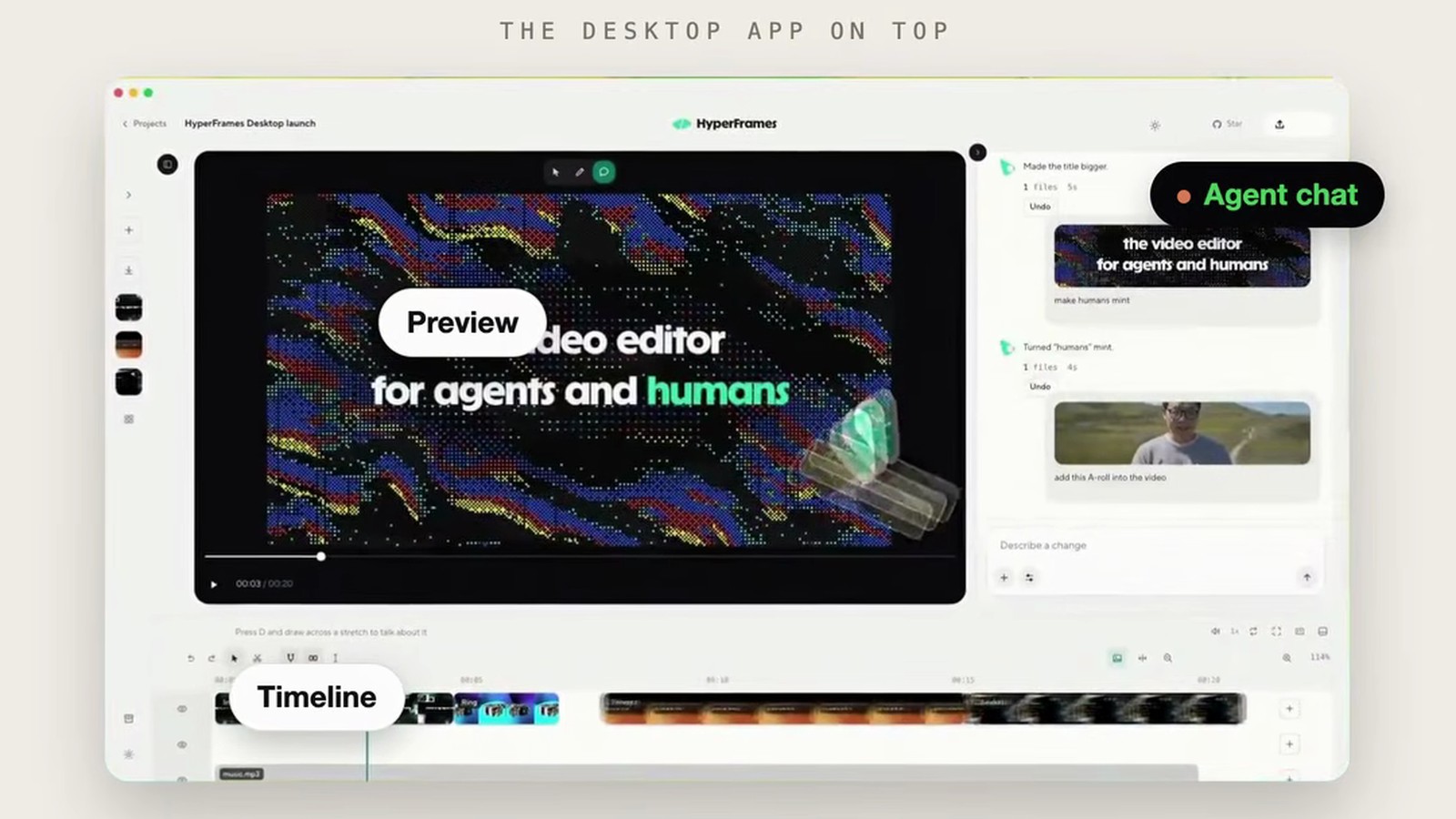
HeyGen just released HyperFrames Studio, a video editor built for AI agents, and it runs on the Claude Code you already have. Think CapCut, but the agent does the editing while you watch the timeline.
What HyperFrames is
HyperFrames is HeyGen's open-source framework that turns HTML into MP4 video. You (or your agent) write HTML, and it renders to video. It is Apache 2.0 on GitHub at heygen-com/hyperframes, and it has real traction: nearly 58,000 stars at launch (just under 59,000 as I write this) and 813,100 npm downloads in the last week.
Studio is the desktop app on top of that engine. It gives you a preview, a real timeline, and an agent chat in one window, so you do not need to write any code yourself.
You type, the agent builds
The flow is simple. You describe the video, for example "Reframe my keynote for vertical." Claude Code, running on your own machine, writes the HTML. Studio shows the result on a timeline with video, graphics, B-roll, and caption tracks. When it looks right, you export an MP4.
When something is off, you do not have to explain it in words alone. You can draw on the frame, point at the element, type "make this bigger," and hit Send to agent. You can also comment on a specific spot in the video.
You do not pay HeyGen for the AI
This is the best part. The docs say agent runs bill to the plan of the account your agent is signed in with. Claude Code bills your Claude plan, and Codex bills your ChatGPT plan. You can switch to an API key in Settings if you prefer. Claude Code is the default when both agents are ready, and the app can install it for you.
The catch
A few limits are worth knowing before you download it:
- You must sign in with a HeyGen account to use the app.
- It is out for macOS and Linux only. Windows is listed as coming soon.
- The docs do not state a price for the app itself, so do not assume it stays free.
- Your agent's usage still counts against your Claude or ChatGPT limits, so long edits cost you plan usage.
How this differs from my other editing posts
I have written about editing with Claude Code before, with the video-use skill and my own take selection skill. Those run in the terminal and cut real footage from transcripts. HyperFrames Studio is different: it builds motion graphics and edits from HTML, and it gives you a visual timeline you can point at. If you want to see and touch the edit, this is the one to try.
Get the app and the docs here: HyperFrames Studio
I share the content pipelines I run with Claude Code inside the AI Academy community.