If you want the speed of Wispr Flow without the subscription or the cloud, OpenFlow is the answer. OpenFlow is a free, open source voice dictation app for macOS that transcribes your speech entirely on your own Mac. You hold a key, talk, release, and your words appear wherever your cursor already is. No account, no monthly fee, and no audio ever leaves your machine.
Curious what the speed gap looks like for you personally? Take the free typing vs speaking speed test and see how many hours a year your voice could save you.
I built it because I loved the idea behind Wispr Flow but not the price or the privacy tradeoff. This post explains what OpenFlow does, how it compares to the alternatives, and how to install it in about two minutes.
What is OpenFlow?
OpenFlow is a menu bar app for Apple Silicon Macs that turns speech into text anywhere you can type. It works in your editor, your browser, chat apps, and even the terminal, because it pastes into whatever field currently has focus.
The workflow is three motions: hold the hotkey (fn by default), speak, and release. The moment you let go, OpenFlow transcribes what you said locally and drops the text at your cursor. Quick-tap the key instead of holding it and you get a hands-free toggle. Press Esc to cancel.
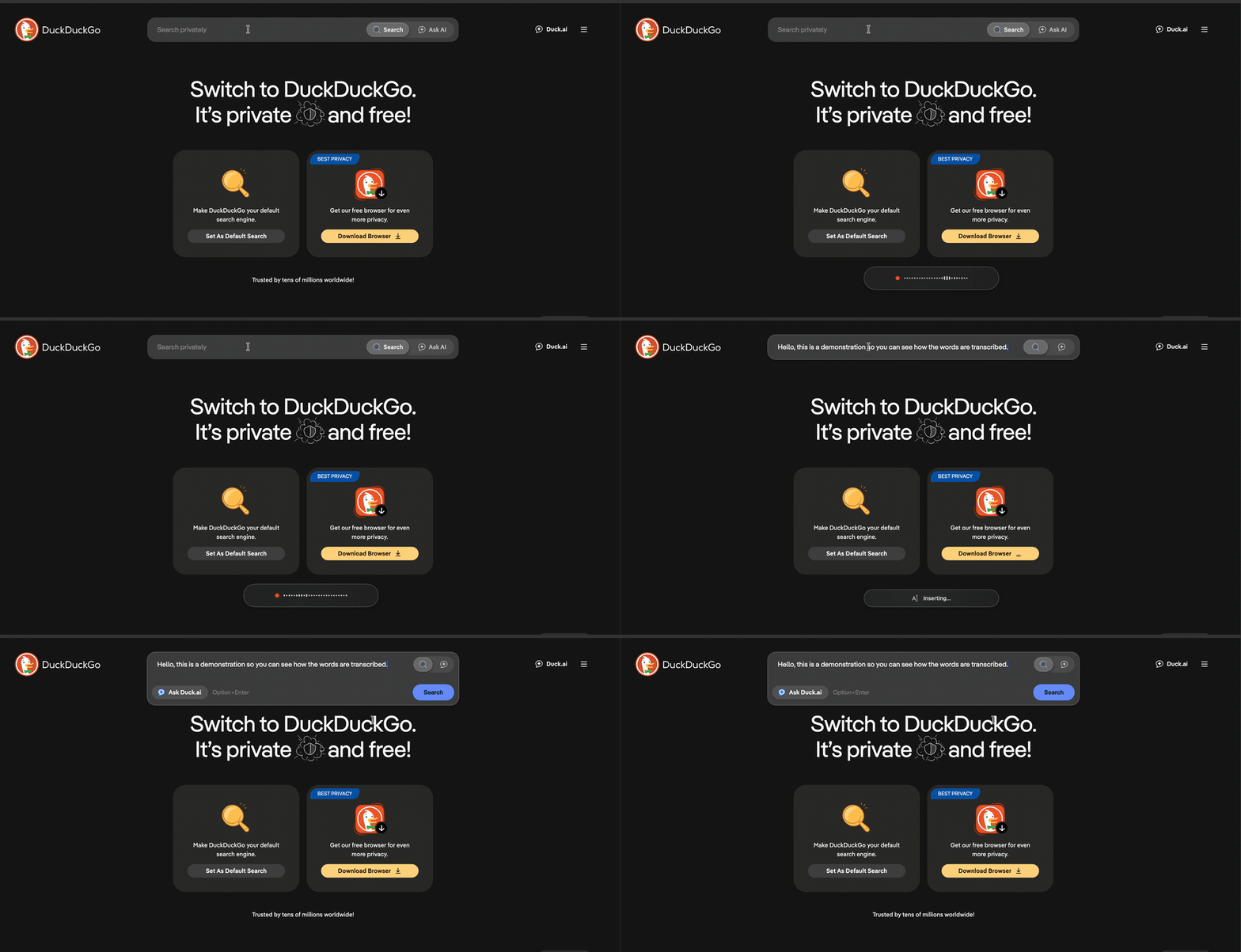
Because everything runs on device, there is no round trip to a server. That is what makes it feel instant, and it is also what keeps your voice private.
Is OpenFlow really free?
Yes, completely. OpenFlow is released under the MIT license, which means the full source code is public and you can use it, read it, and modify it for free. There is no subscription, no usage cap, and no "pro" tier hiding the good features behind a paywall.
This is the core difference from most dictation tools. Wispr Flow, SuperWhisper, and similar apps either charge a monthly fee or meter your words. OpenFlow charges nothing because there is no server to pay for. The transcription happens on hardware you already own.
How does OpenFlow compare to Wispr Flow and Apple Dictation?
Here is the honest breakdown of where each option lands on the things people actually care about: privacy, cost, and accuracy.
| Feature | OpenFlow | Wispr Flow | Apple Dictation |
|---|---|---|---|
| Price | Free forever | Monthly subscription | Free (built in) |
| Runs on device | Yes, always | No, cloud based | Yes, on Apple Silicon |
| Audio leaves your Mac | Never | Yes | No |
| Open source | Yes (MIT) | No | No |
| Custom dictionary | Yes | Yes | Limited |
| Works system wide | Yes | Yes | Yes |
| Speech engine | Parakeet TDT v3 or Whisper | Proprietary cloud | Apple built in |
Apple Dictation is a genuinely good free option and it is private on Apple Silicon. Where OpenFlow pulls ahead is accuracy on technical vocabulary, a custom dictionary you fully control, an optional AI cleanup pass, and the fact that you can see exactly what the code does.
What speech engine does OpenFlow use?
OpenFlow ships with two local transcription engines you can switch between in Settings:
- Parakeet TDT v3 is the default. It is an NVIDIA speech model running through FluidAudio, and it is the fastest and most accurate option for English. It also covers 24 European languages. In testing it runs at roughly 35 times realtime, so a 10 second clip transcribes in well under a second.
- Whisper (via WhisperKit) is there for other languages. The multilingual
large-v3-turbomodel covers around 100 languages. Thesmall.enandbase.enbuilds are faster English-only options.
Both engines run on Apple's Neural Engine using CoreML. The models download once, cache locally at about 600 MB each, and never phone home after that.
Does OpenFlow keep my dictation private?
This is the whole point of the app. Your audio is captured, transcribed on your Mac, and then discarded. It is never uploaded, never stored on a server, and never used to train anything.
When OpenFlow asks for microphone access during setup, the permission screen says it plainly: audio never leaves your machine. Your transcript history is saved in a local SQLite database on your own disk, and you can search or clear it whenever you want.
What else can it do?
Beyond the core dictate-and-paste loop, OpenFlow has the quality-of-life features that make a dictation tool actually usable day to day:
- Custom dictionary and snippets. Teach it that "cube cuddle" should become
kubectl, or expand a spoken trigger into a whole block of boilerplate. - Hallucination filtering. Silence never injects a phantom "Thank you." into your document, which is a common failure mode of raw Whisper.
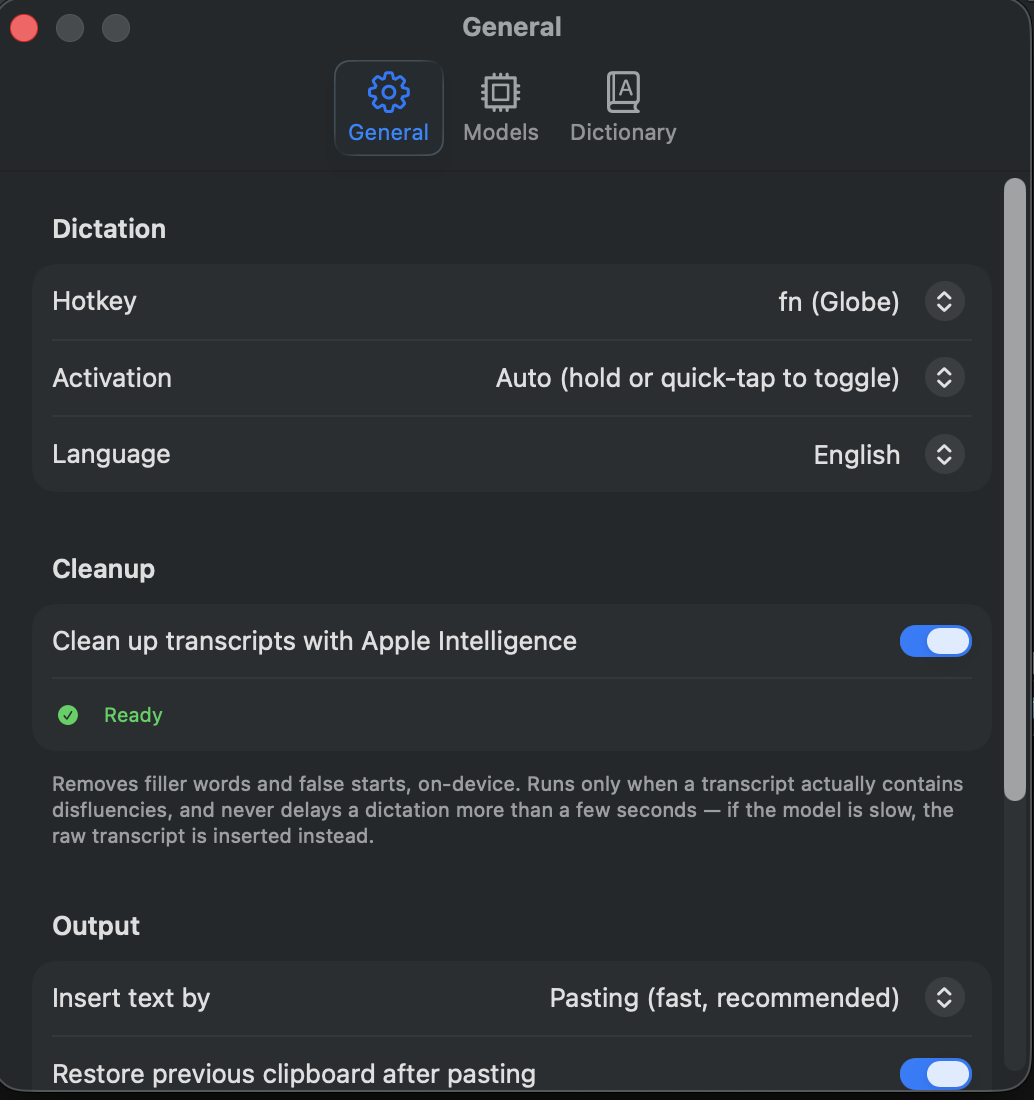
- On-device cleanup. With Apple Intelligence, OpenFlow can strip filler words and false starts after transcription, entirely on device, and only when the transcript actually needs it.
- Clipboard safe. It pastes through a transient clipboard entry and then restores whatever you had copied before.
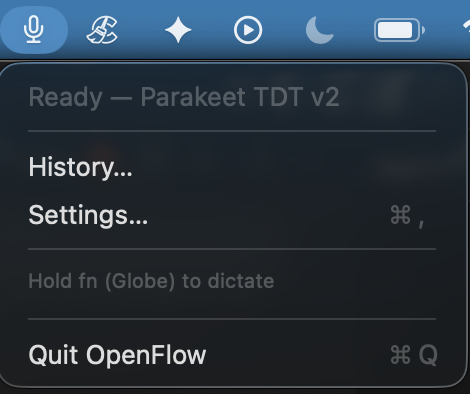
The app lives quietly in your menu bar with no dock icon. A glance tells you which engine is active and whether it is ready to go.
How do I install OpenFlow?
Installation takes about two minutes:
- Download
OpenFlow.zipfrom the latest release on GitHub, unzip it, and dragOpenFlow.appinto your Applications folder. - This build is not notarized by Apple yet, so on first launch, right-click the app and choose Open, then Open again to get past Gatekeeper.
- Onboarding walks you through granting Microphone and Accessibility permissions and downloading the speech model.
- Hold
fn, speak, and release. That is it.
One tip: if you use fn as your hotkey, set System Settings, Keyboard, "Press globe key to" to Do Nothing so the emoji picker stays out of your way.
What are the requirements?
OpenFlow needs an Apple Silicon Mac (M1 or newer) running macOS 14 or later. The optional Apple Intelligence cleanup step needs macOS 26 or later. Budget around 600 MB of disk for each speech model you download.
The bottom line
If you have been paying for cloud dictation or holding off because you did not want your voice going to someone else's server, OpenFlow removes both objections. It is fast, it is private by design, and it is genuinely free.
Download OpenFlow for Mac or read the source code and docs on GitHub. It is one of the products I build and share, and I wrote about why it made my 2026 AI stack too.
If you want to learn how to build tools like this yourself, I teach it 1-on-1 inside my free community.