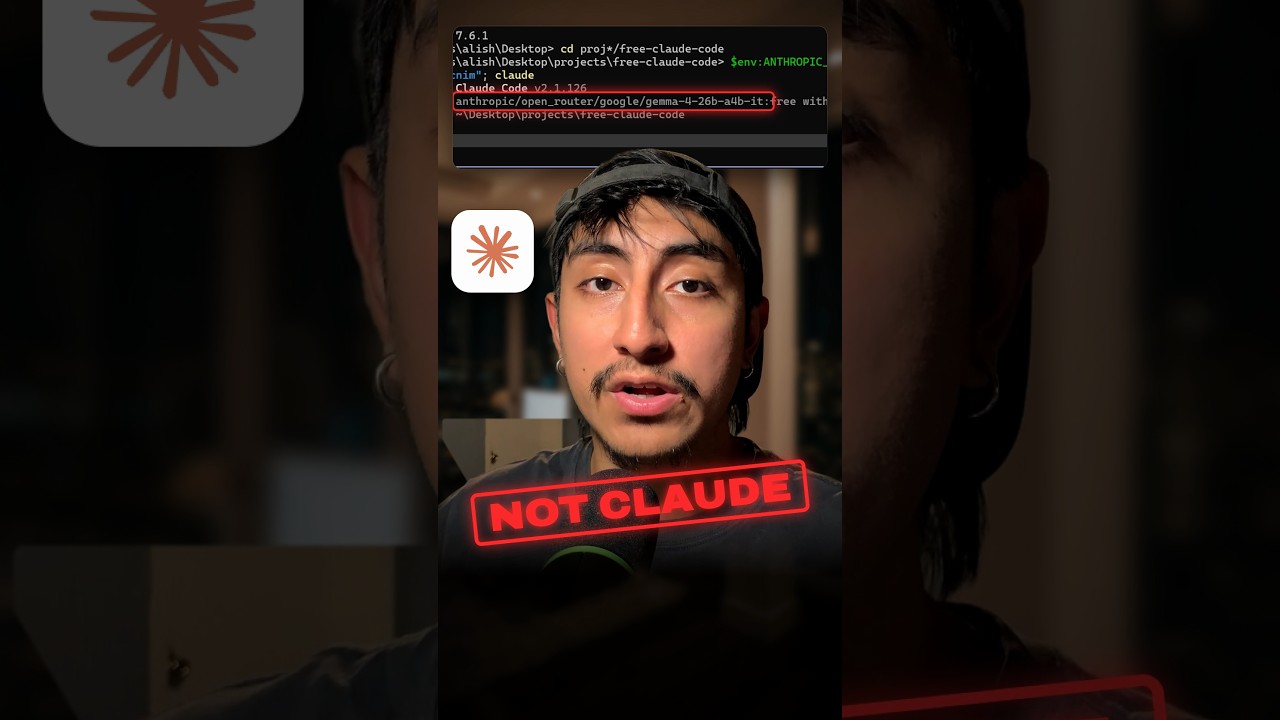
The Claude Code session in my Short is not running Claude. No Opus, no Sonnet, no Haiku. It is a different model behind the same Claude Code interface, and you can set it up with a free NVIDIA key in three steps. The tool is called Free Claude Code.
What it actually is
Free Claude Code is an open source project (almost 62,000 GitHub stars when I recorded) that runs a small proxy on your own machine. It points Claude Code at that local proxy instead of Anthropic's API, and the proxy forwards each request to the model you pick. The README lists 61 model providers: free tiers, paid APIs, subscriptions, local models, and Anthropic itself.
So the agent you use is still Claude Code: the terminal UI, the bash commands, the file edits. The brain behind it is whatever model you configure. You can even map Claude Code's Opus, Sonnet and Haiku tiers to different models.
One thing to know up front: the README says it is an "Independent open-source project. Not affiliated with or endorsed by Anthropic."
Step one: install it
The install is one command in your terminal:
curl -fsSL "https://raw.githubusercontent.com/Alishahryar1/free-claude-code/main/scripts/install.sh" | sh
This pipes a script from the internet into your shell. Open the script and read it before you run it. That is good practice for any curl | sh install.
Step two: get a free NVIDIA key
Create an API key at build.nvidia.com/settings/api-keys, then paste it into the Providers section of the proxy's local admin page.
Step three: launch
Type:
fcc-claude
Claude Code starts, and every request goes through the proxy on your machine to NVIDIA. When I recorded, the default model was Nemotron 3 Super (120B total parameters, 12B active). The README now defaults to Nemotron 3 Ultra, and you can pick another model from the dropdown.
The part most people miss
"Free" has conditions. Read these before you build anything on it.
- NVIDIA's free tier is for prototyping. NVIDIA's docs say free NIM access through the Developer Program is for "prototyping, research, development and testing purposes only", and that using NIM in production requires an NVIDIA AI Enterprise license.
- Limits can change. The README says it directly: "Free-tier availability and limits are controlled by each provider and may change."
- Real Claude is not free here. The README notes that Anthropic uses a separately billed API key. If you want actual Claude models through the proxy, you pay Anthropic as usual.
- It is not Claude. The model answering is NVIDIA's (or whichever you pick). Do not expect Claude level results just because the interface looks the same. I make no claim here about how Nemotron compares to Claude on your code.
- Protect the proxy. The README recommends turning on proxy authentication with a bearer token, so nothing else on your network can use your keys.
What still works
The project says your agent capabilities stay intact: streaming, tool use, and native interleaved thinking. If a provider goes down, it can fall back: "After retries are exhausted, FCC automatically tries your next configured model." You add those fallback models yourself. The README also warns that a failed request may reach more than one provider and use quota on each.
These are the project's claims. I have not tested them across every provider.
Who this is for
This is good for learning Claude Code's workflow without a bill, for testing open models inside a real agent harness, and for side projects. For paid work, I still use real Claude. If you are deciding whether the subscription is worth it, I broke down the numbers in your $200 Claude plan is worth $11,726 a month. And if you want a fully open agent instead of a proxy, see Claude Code lost to this free open source agent.
Sources: GitHub: Alishahryar1/free-claude-code, NVIDIA NIM docs
Watch the Short above to see it run. If you want the Claude Code skills and workflows I use to automate my content and my business, join the AI Academy community on Skool.