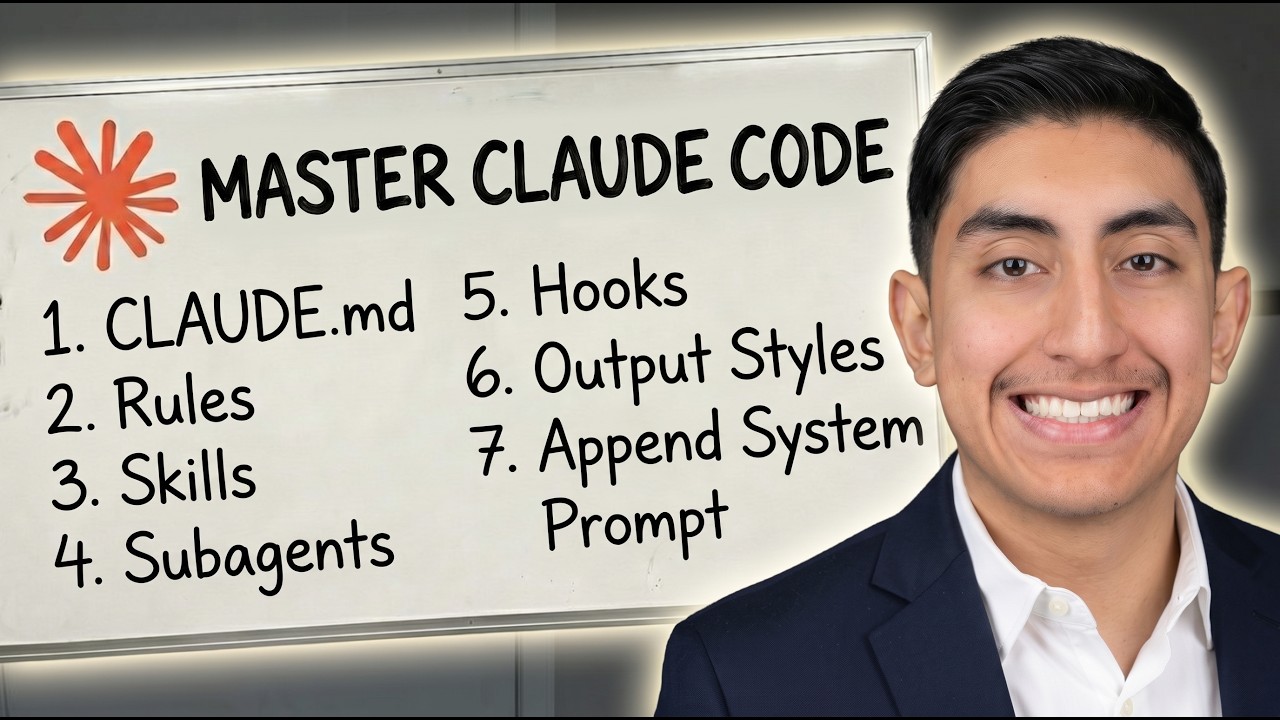
Most people steer Claude Code with one file: CLAUDE.md. They dump every rule, convention, and procedure into it, watch it balloon to 400 lines, and wonder why Claude starts ignoring half of it.
The truth is there are seven different ways to control Claude Code, and each one is built for a different job. Pick the wrong tool and you either burn tokens on instructions Claude does not need yet, or you write a rule that quietly gets dropped the moment the session gets long. Pick the right one and Claude does exactly what you want without the bloat.
Here is the full breakdown of all seven, what each one is actually for, and how to choose.
The Mental Model First
Before the list, understand the three questions that decide everything:
- When does it load? Some instructions load at session start and cost you tokens the whole time. Others load only when they become relevant.
- Does it survive compaction? Long sessions get compacted (condensed) to save context. Some instructions get re-read after that. Some silently disappear.
- How much authority does it have? A polite note in a markdown file is a suggestion. A hook that blocks a command is a wall.
Every method below is a different answer to those three questions. Match the method to what you actually need.
1. CLAUDE.md
The classic. A markdown file that loads at the start of every session and stays loaded the whole time. The root CLAUDE.md is always in context and gets re-read after compaction, so it is the most reliable place for facts Claude should never forget. Drop one inside a subdirectory and it loads only when Claude touches files in that folder, which is perfect for monorepos.
Use it for: build commands, directory structure, coding conventions, team norms. The facts Claude needs to hold in its head at all times.
The catch: every single line costs tokens for the entire session, whether it is relevant or not. Keep the root file under 200 lines. If it is growing past that, you are using it for things that belong somewhere else on this list.
2. Rules
Markdown files in .claude/rules/ that inject specific constraints. The important feature is the paths frontmatter field. Add it, and the rule loads only when Claude accesses matching files.
Use it for: file-specific constraints like "database migrations are append-only" or a validation convention that only applies to your API handlers.
Why it beats CLAUDE.md here: an unscoped rule loads always, just like CLAUDE.md. But a path-scoped rule stays out of context until it is actually needed. Something like paths: ["src/api/**", "**/*.handler.ts"] keeps your API rules invisible while Claude works on the frontend, then loads them the second it opens a handler.
3. Skills
Folders in .claude/skills/ containing a SKILL.md file with a name, a description, and a body. This is the clever part: at session start, only the name and description load. The full body stays on disk until the skill is invoked, either by a slash command or by Claude auto-matching the description to your request.
Use it for: procedural workflows. Deploy checklists, release processes, code review procedures. Anything that is a sequence of steps rather than a fact.
Why it is efficient: a 200-line deploy procedure costs you almost nothing until the moment you actually deploy. That is the whole point. CLAUDE.md is for facts Claude holds always; skills are for procedures Claude loads on demand.
4. Subagents
Markdown files in .claude/agents/ that define an isolated assistant with its own context window. The subagent runs its task separately, and only its final summary comes back to your main session. All the intermediate noise stays out of your conversation.
Use it for: side quests that would clutter the main thread. Deep codebase searches, log analysis, dependency audits. Work where you want the answer but not the 40 tool calls it took to get there.
Why it matters: isolation keeps your main context clean. The subagent can read a hundred files and think through a messy problem, and your primary session never sees any of it, just the conclusion.
5. Hooks
This is the one most people are missing. Hooks are commands, HTTP endpoints, or prompts registered in settings.json (or in a skill or agent's frontmatter) that fire deterministically on lifecycle events: after a file edit, before a tool call, at session start.
Use it for: deterministic automation. Run the linter after every edit. Post to Slack when a task finishes. Block a dangerous command before it ever runs.
Why it is different from everything else: a hook is code the harness runs, not an instruction Claude interprets. That distinction is everything. If you write "always run the tests after editing" in CLAUDE.md, Claude will do it most of the time, then forget under pressure in a long session. A PostToolUse hook runs the tests every single time, because it is not asking Claude to remember. It just fires. And it costs almost no context, because the configuration lives outside the conversation.
6. Output Styles
Files in .claude/output-styles/ that inject instructions directly into the system prompt. They are never compacted and always loaded, which gives them the highest instruction-following weight of anything on this list.
Use it for: significant role changes. Turning Claude from a coding assistant into a general-purpose assistant, for example. The built-in styles (Proactive, Explanatory, Learning) already cover most needs.
The catch: a custom output style replaces the default instructions unless you set keep-coding-instructions: true. Those defaults cover scope, comments, security, and testing habits, so know what you are turning off before you override them.
7. Append System Prompt
The --append-system-prompt CLI flag. It tacks additional instructions onto the system prompt for a single invocation, and it is purely additive.
Use it for: a one-off. A specific coding standard, an output format, or a piece of domain knowledge you need for this run and this run only.
Why it is cheap: prompt caching kicks in after the first request, so the extra instructions cost you very little across the session.
How to Choose: The Quick Refactor Guide
If you are staring at a bloated CLAUDE.md right now, here is how to break it apart:
| What you wrote | Where it should go |
|---|---|
| "Every time X, always do Y" | A hook. Prompted rules fail under pressure; hooks fire every time. |
| "Never do this" | A PreToolUse hook or managed settings. Real guardrails, not polite requests. |
| A 30-line procedure | A skill. Load it on demand instead of paying for it all session. |
| An API rule with no scope | Add paths: frontmatter and make it a scoped rule. |
| Your personal preferences | The user-level version of these files, not the shared project ones. |
The general principle: CLAUDE.md is for facts Claude should always hold. Everything conditional, procedural, or enforced belongs somewhere more specific.
Quick Reference
| Method | Loads | Survives compaction | Context cost | Best for |
|---|---|---|---|---|
| CLAUDE.md (root) | Session start | Yes, re-read | High | Project facts, conventions |
| Path-scoped rules | On demand | Until directory touched | Low to medium | Conditional constraints |
| Skills | On invocation | Re-injected to budget | Low | Procedures, checklists |
| Subagents | On call | Isolated | Low | Background tasks |
| Hooks | Lifecycle events | Outside context | Low | Deterministic automation |
| Output styles | Session start | Never compacted | High | Role changes |
| Append system prompt | Invocation | That run only | Low | One-off instructions |
Watch the Full Breakdown
This post is the map. In the video below I walk through each of these seven methods with live examples inside Claude Code, so you can see exactly how they behave and when to reach for each one.